
Jukebox
Spotify, YouTube Music and SoundCloud, one player
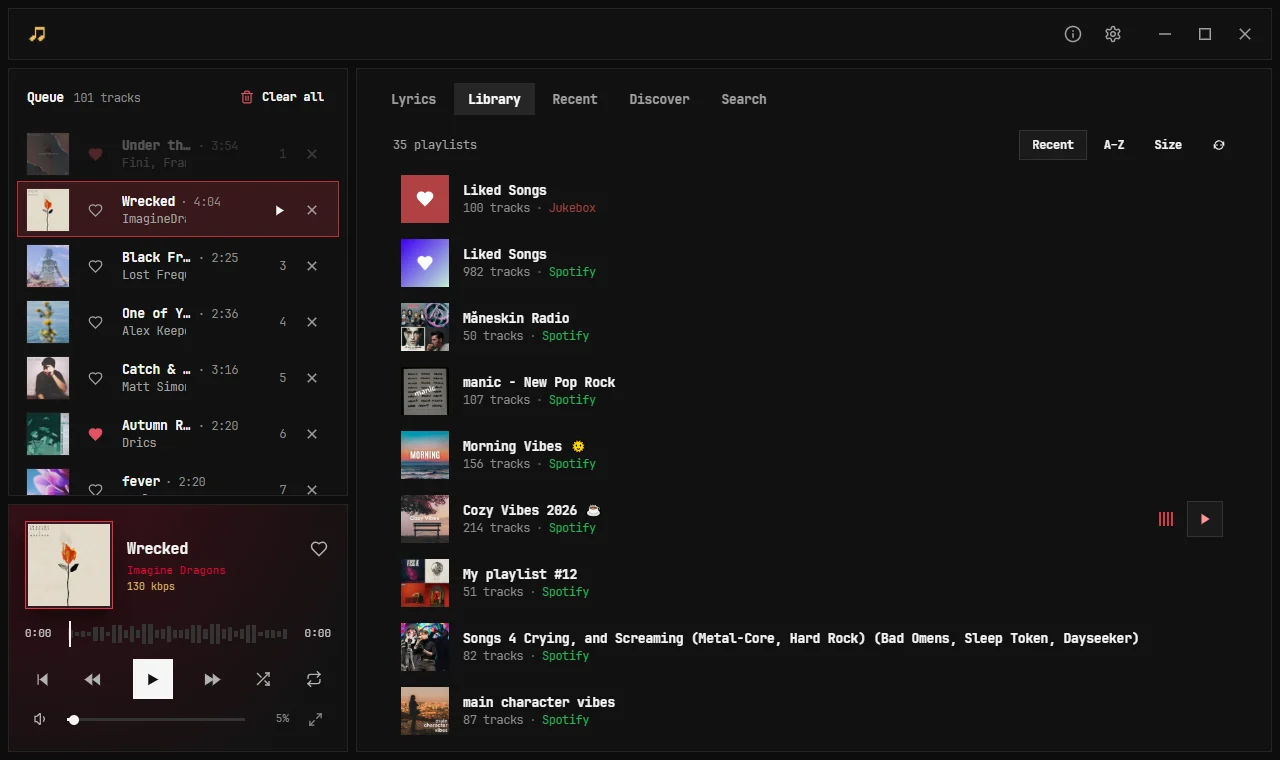
Your playlists from every service in one library, one queue and one search. Sign in once with your marobotic account and the same music is on your computer, your phone and in your browser.
Take a look
What it does
■One library
Spotify, YouTube Music and SoundCloud playlists side by side, saved on your account so they stay even after you sign out of a service.
■Plays the right song
A song found on one service plays on another only when it is the same recording: same version, same artist, same length.
■Sharp covers
One cover per song, the best there is, drawn at exactly the size of the box it sits in.
■Every device, one player
Start on your phone, carry on at your desk. Play on any of your devices from any other, like Spotify Connect.
■Know what you hear
The live bitrate in a colour that says how good it is, a graph of every second, and a log of why each song played from where.
■Your Discord status
With the Windows app running, your Discord profile shows what you are listening to, with the cover and a link, even when the music plays on your phone.
New in Jukebox 0.4
■A new look
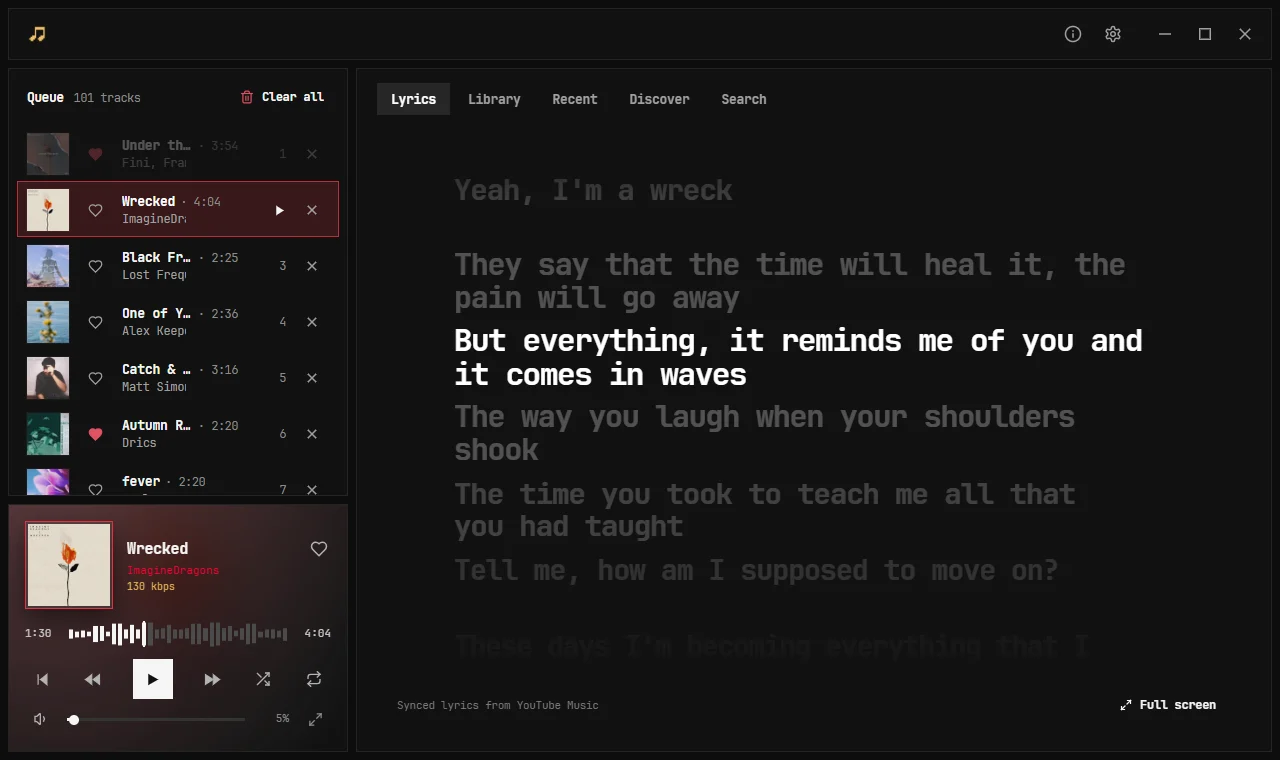
A quiet dark layout, a queue beside the player, one tab row for Lyrics, Library, Recent, Discover and Search, and our own title bar. The same row for every song in every list, with the heart, the length and a check when it is saved offline.
■Lyrics in time
Synced lyrics follow the song line by line and scroll with the wheel when you want to read ahead. Songs with no synced lyrics show them plain, never frozen on one line.
■Jamming mode
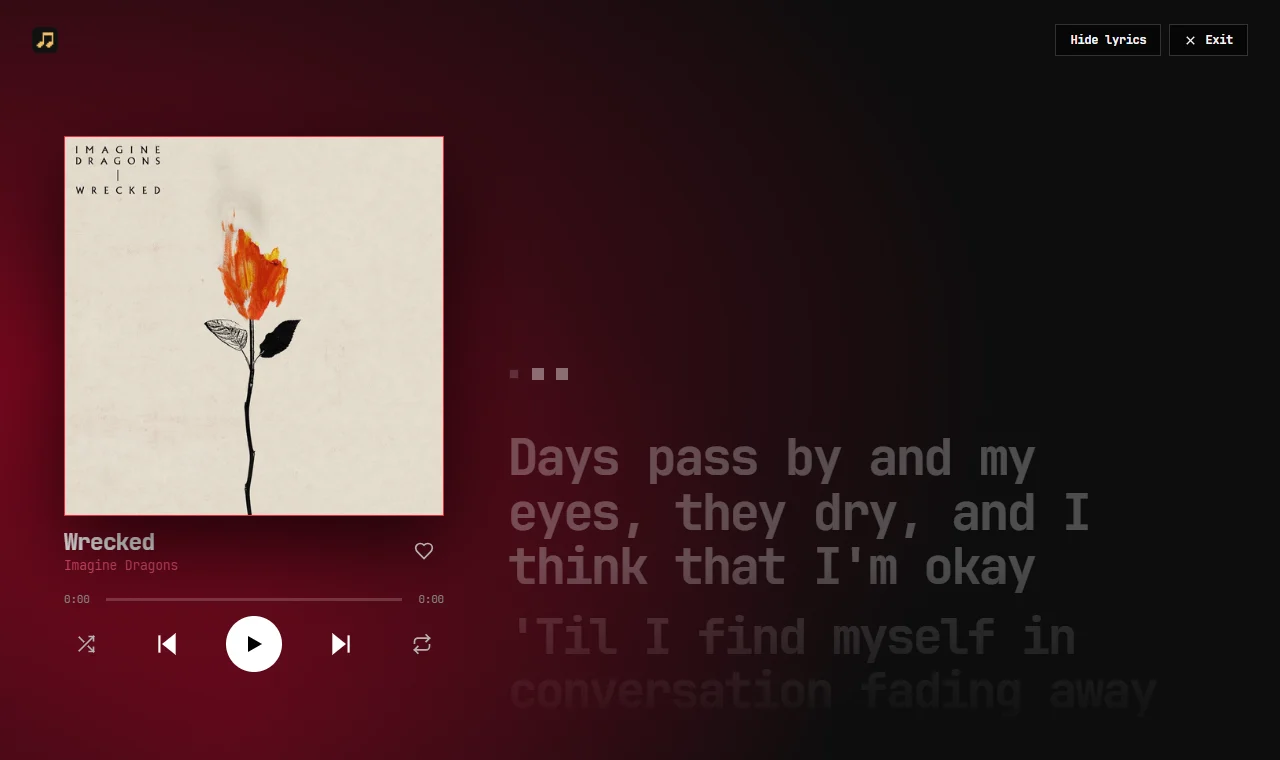
Full screen: a big cover, the lyrics, the controls, and a wash of the cover’s colours behind it. On a phone the lyrics stay up and the song sits in a bar underneath.
■Discover
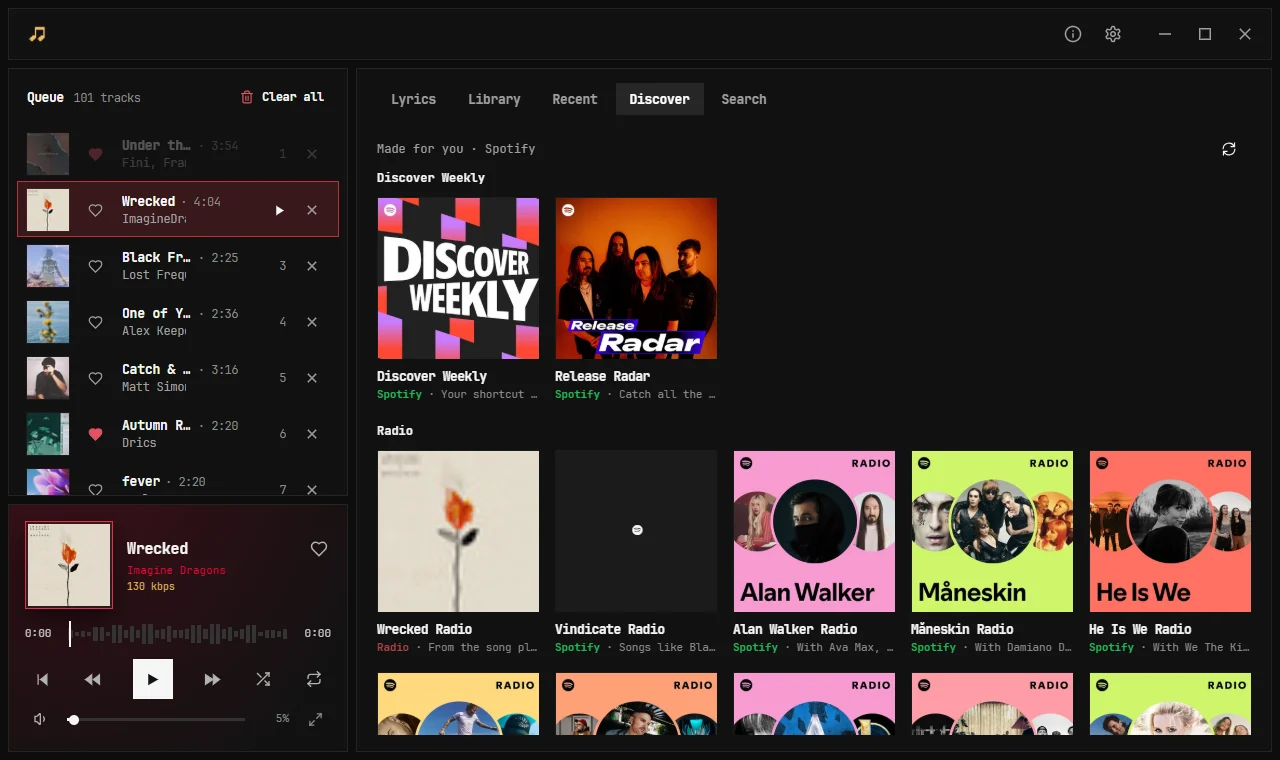
What Spotify, YouTube Music and SoundCloud made for you as square tiles: Discover Weekly, Release Radar and radios. Hover a tile to play it.
■Paste a link, play it
Paste a Spotify, YouTube Music or SoundCloud link to a song, album or playlist, or a YouTube Mix, and it opens with its name and a Play all button.
■Share and open anywhere
Share a song or open it on Spotify, YouTube Music, YouTube or SoundCloud, or copy the link. The playing song is coloured by its service: green, red or orange.
■Sign in once
Sign in to a service on one device and your other devices ask for it, sealed so only your own devices can open it. Settings shows where each service comes from and checks that it still works.
■Keys and a clear log
Space and K play and pause, J skips back 10 seconds and L skips ahead 10. The Console in Settings is a playback log: which source played each song, why, and what went wrong, with filters and Copy.
■Quick on any line
Songs start at once and you can seek anywhere, even on a slow connection. A song that stalls is picked up again, and a song that never makes sound is skipped with a reason.
■Keep songs on disk
Save songs, playlists or Liked for offline with no limit, or set a size and clear it when you want the space back. Jukebox can start with Windows, hidden in the tray.
■Android keeps up
Spotify plays on the phone itself at 320 kbps, Jamming mode fits the phone, songs YouTube took down are greyed out with the reason, and hearts reach every device the moment you give them.
Good to know
Your own subscriptions
Jukebox plays through your own Spotify, YouTube Music and SoundCloud accounts. Premium sound needs a Premium plan on that service.
Free, no ads, no tracking
There are no ads and no analytics. What is stored, and why, is on the privacy page.
One account
The same marobotic account signs you in to Jukebox and Hourglass on every device.