marobotic

APPS BY MARO

Software I use every day,
built to be yours too.

Eight apps with one look and one account: a calendar that opens the right notes, one music player for every service, boards your AI can run, bandwidth control, 2FA and passwords, a launcher, files that follow you to every device, and your mail in its own window. On Windows and Android, Dock installs them all and keeps them up to date.

START HERE

Dock

Every app, one installer

Install Dock once and every Marobotic app is one click away. It installs them quietly, keeps them up to date in the background, and only reopens an app that was open.

  • Install one app or all of them, no setup wizards
  • Silent updates from a signed catalog
  • Lives in the tray, starts with Windows
  • On Android it installs the phone apps and updates them, and itself
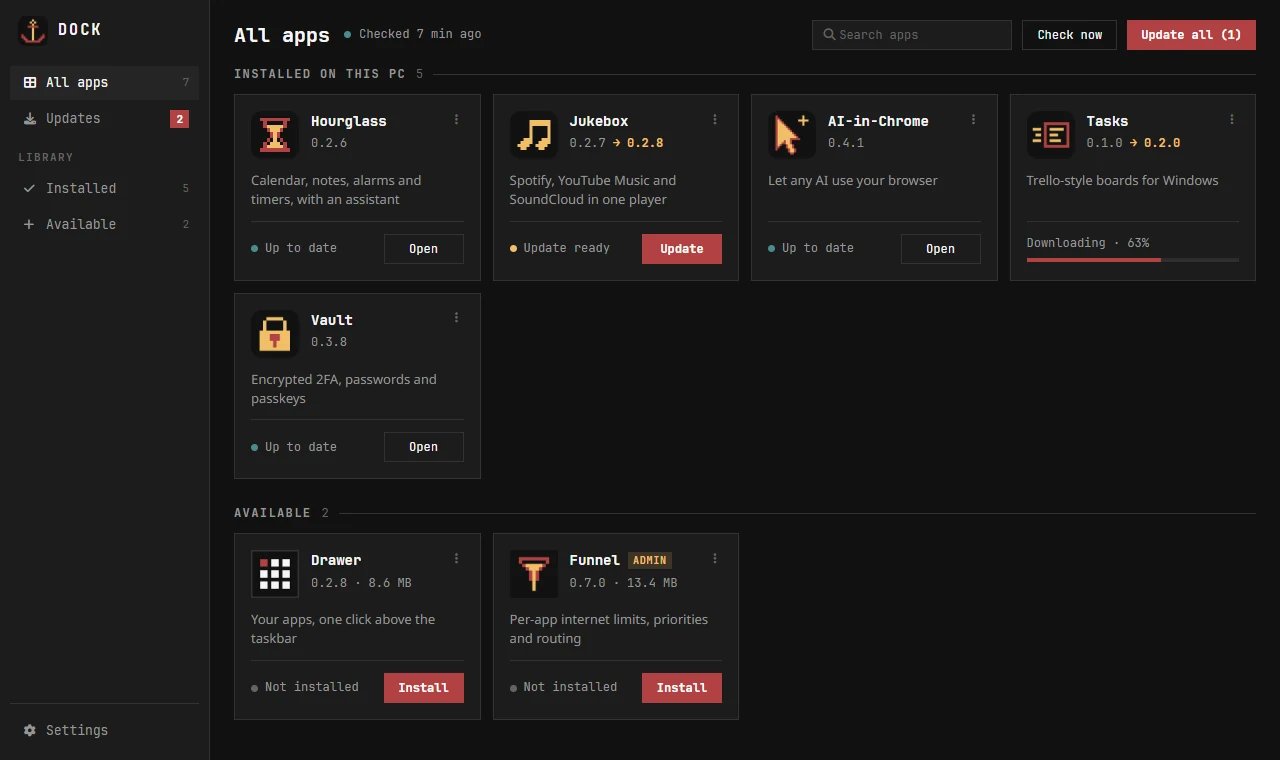
Dock on Windows: installed apps, an update downloading, apps to install
Dock on Windows

Apps free · one account · sync between your devices

Hourglass

The right notes at the right moment

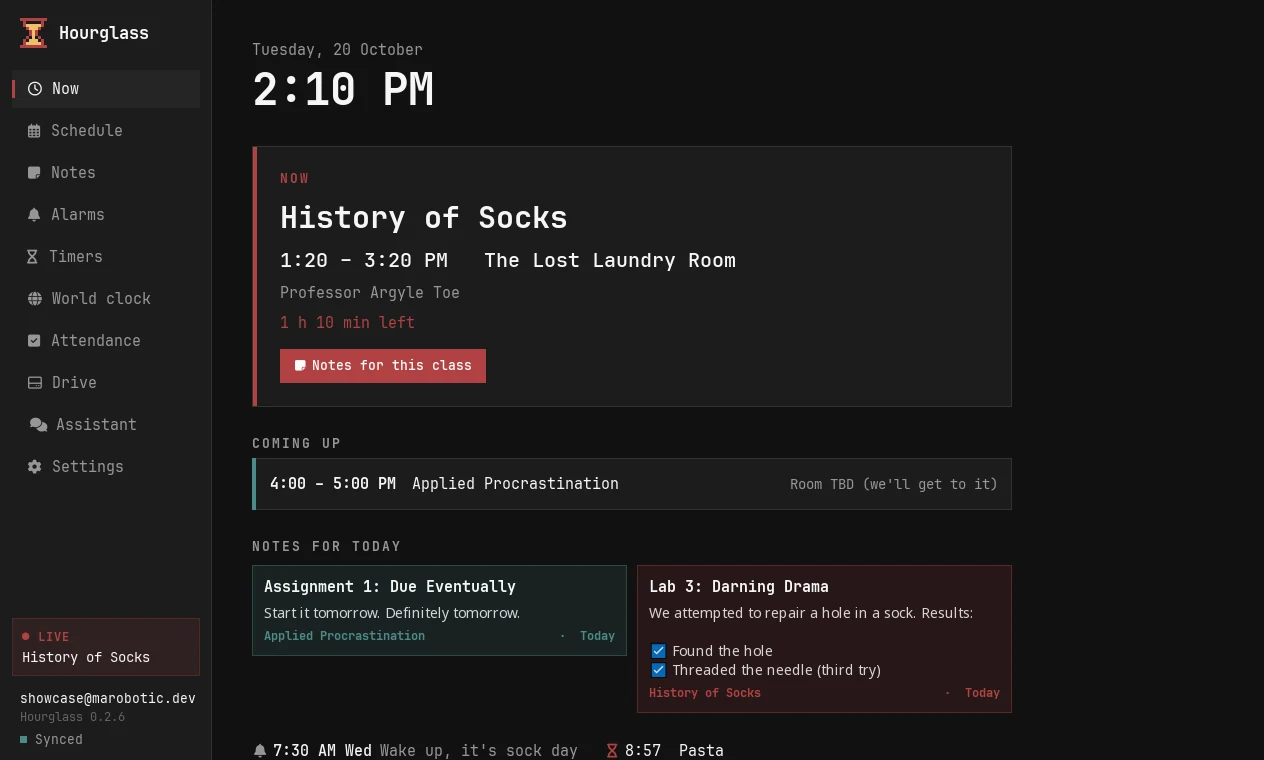
Calendar, notes, alarms and timers in one app. When a lecture is on, its notes are already open. Ask its assistant, or any AI on your machine: "add my Tuesday 8 AM lecture".

  • Schedule, notes and alarms that know about each other
  • Real alarms and timers on phone and desktop
  • An assistant that answers the everyday things instantly

More about Hourglass · Open it in your browser

Dock installs it and keeps it up to date, on Windows and Android.

Hourglass on Windows

Jukebox

Spotify, YouTube Music and SoundCloud, one player

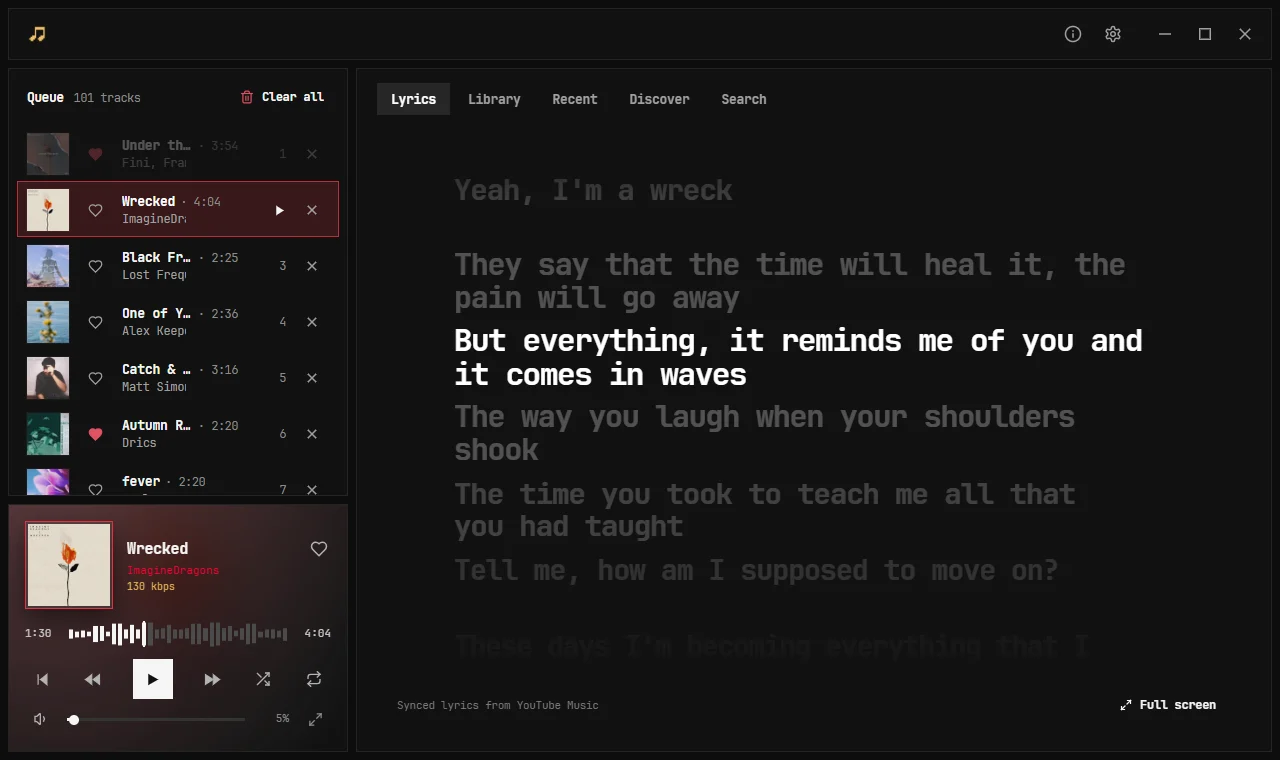
Your playlists from every service merged into one library, one queue and one search. Songs start the moment you click, the lyrics follow along, and likes follow you to every device.

  • Merged playlists, one queue, one search across all three services
  • Synced lyrics and a full-screen Jamming mode
  • Instant playback, Windows and Android on one account

More about Jukebox · Play in your browser

Dock installs it and keeps it up to date, on Windows and Android.

Jukebox on Windows playing a song, with its lyrics in time and the queue on the left
Jukebox on Windows

Tasks New

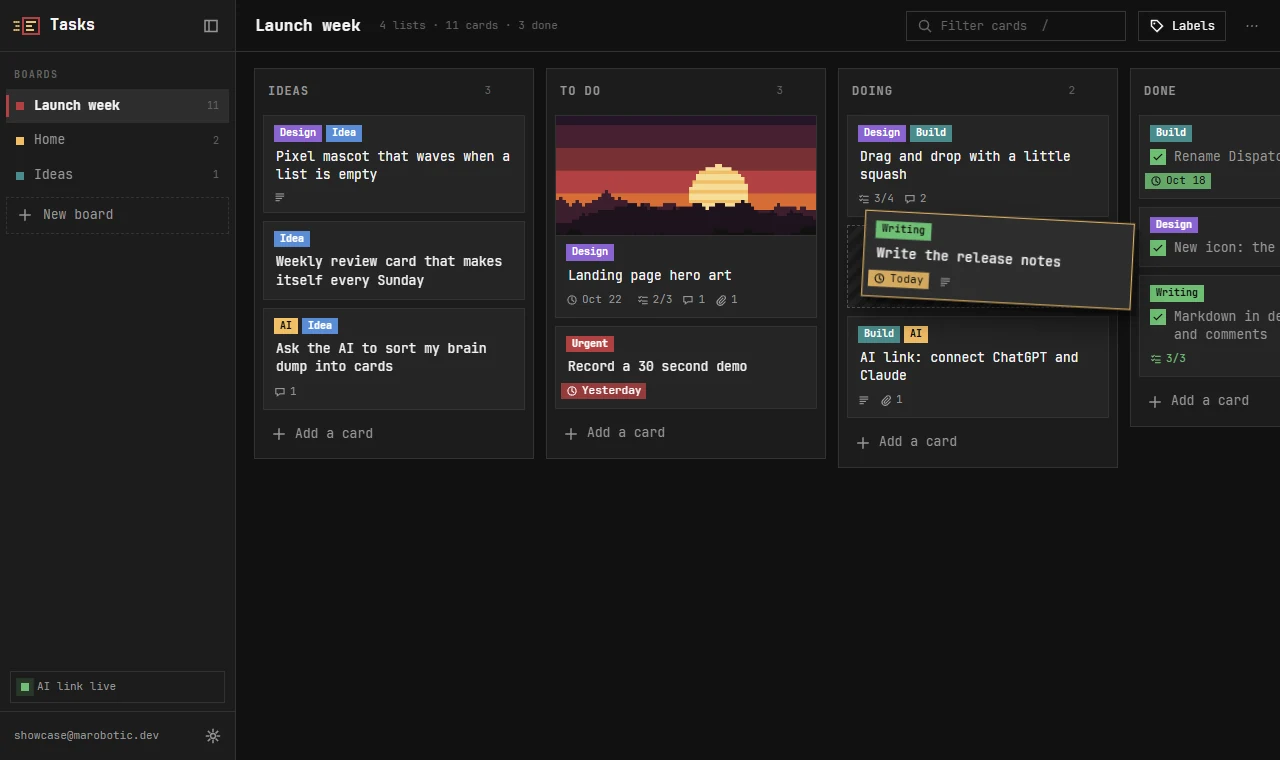
Boards for tasks and ideas, that your AI can run

Trello-style boards, made to feel good: drag cards anywhere, write in markdown, attach screenshots to a card or a comment. Then give any AI your private link and let it sort your brain dump into cards.

  • Drag and drop with a little life in it
  • Labels, due dates, checklists, files and comments
  • One link for ChatGPT, Claude or any AI, revoke it any time

Open it in your browser

Dock installs it and keeps it up to date, on Windows and Android.

Tasks on Windows
Tasks on Windows

Funnel

Per-app bandwidth control

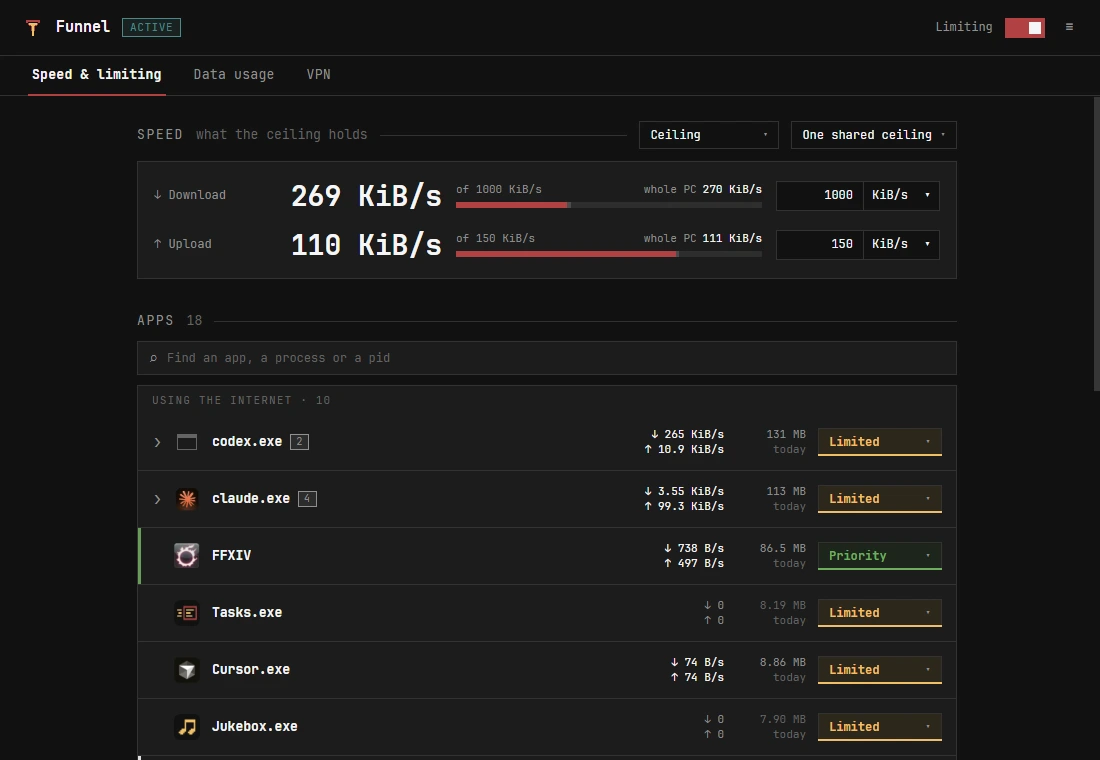
Set one upload and download ceiling and every limited app stays under it together. Whitelist the game, give the call priority, and nothing you care about ever waits behind a download.

  • One row per app, however many processes it runs
  • Whitelist and priority apps skip the queue

Dock installs it and keeps it up to date, on Windows and Android.

Funnel on Windows
Funnel on Windows

Vault

2FA codes, passwords and passkeys

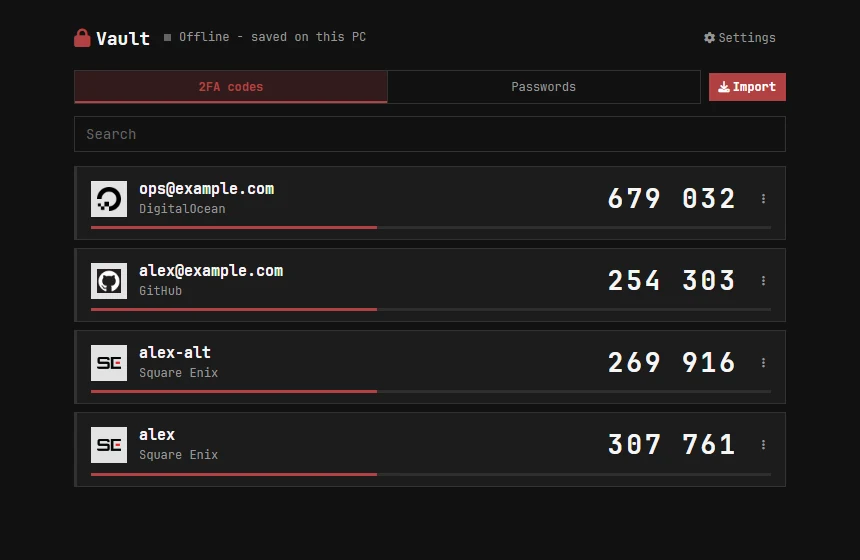
One encrypted place for every login and its 2FA code. Scan a QR code straight off your screen, fill passwords in the browser, and keep it all in sync, sealed before it leaves your device.

  • A login and its 2FA code live together
  • Pick a QR code anywhere on screen
  • Browser extension and Android autofill

Dock installs it and keeps it up to date, on Windows and Android.

Vault on Windows
Vault on Windows

Drawer

Your apps, one click above the taskbar

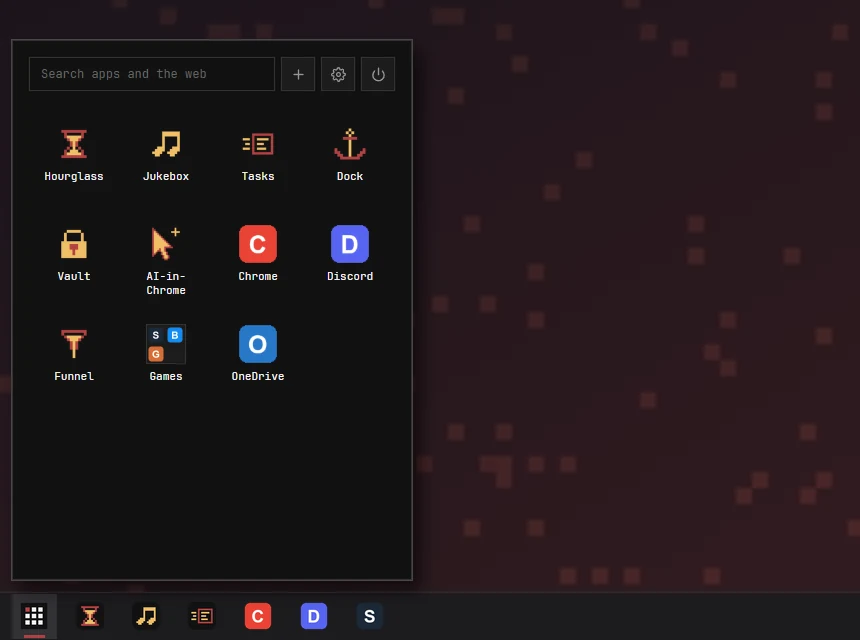
A small, instant launcher that pops up above the taskbar: your apps and folders in a grid, a search box that also searches the web, and "Pin to Drawer" on anything in Explorer.

  • Opens instantly, even when the PC is busy
  • Folders, drag to arrange, drop files to pin
  • Search apps and the web from one box

On Windows, Dock installs it and keeps it up to date.

Drawer popping up above the Windows taskbar
Drawer on Windows

Tether

Your files on all your devices, however far apart

The folder that follows you: one account, a list of every device you own, and each one's shared files a click away from the others.

  • One marobotic account across your devices
  • See your devices and the folders each one shares
  • Browse files on your other devices

Letterbox

Your Zoho Mail in its own window

Your Zoho Mail in its own window. Letterbox is read-only for now: browse folders and your message list.

  • Browse your Zoho Mail folders
  • View your message list
  • Read-only for now

More smaller things, and what is on the bench

In testing Pulse Steps from every device you own, counted once. A Galaxy Watch, an Android phone and an iPhone on one daily total, with no double counting. Watch app in testing

About

Hi, I'm Maro. I build software that ships, from the database to the last pixel.

Eight years of web work for paying clients, then the whole stack myself: Go and Flutter, a Python engine with OAuth and systemd supervision, Qt desktop apps, C# plugins with in-game UIs, and the servers they all sync through. Everything on this page runs on that.

Contact I usually reply within a day